Cancelling Ahrefs is fully self-service and takes about a minute inside your account — there’s no phone call and no support ticket required. The one thing to check first: you must be signed in as the Workspace Owner, because only the owner can manage the subscription. Ahrefs bills everyone directly through its website, so the steps below are the same whether you’re on a monthly or annual plan.
Cancel on the Ahrefs website
This is the only place to cancel — Ahrefs handles all billing itself and isn’t sold through the Apple App Store or Google Play.
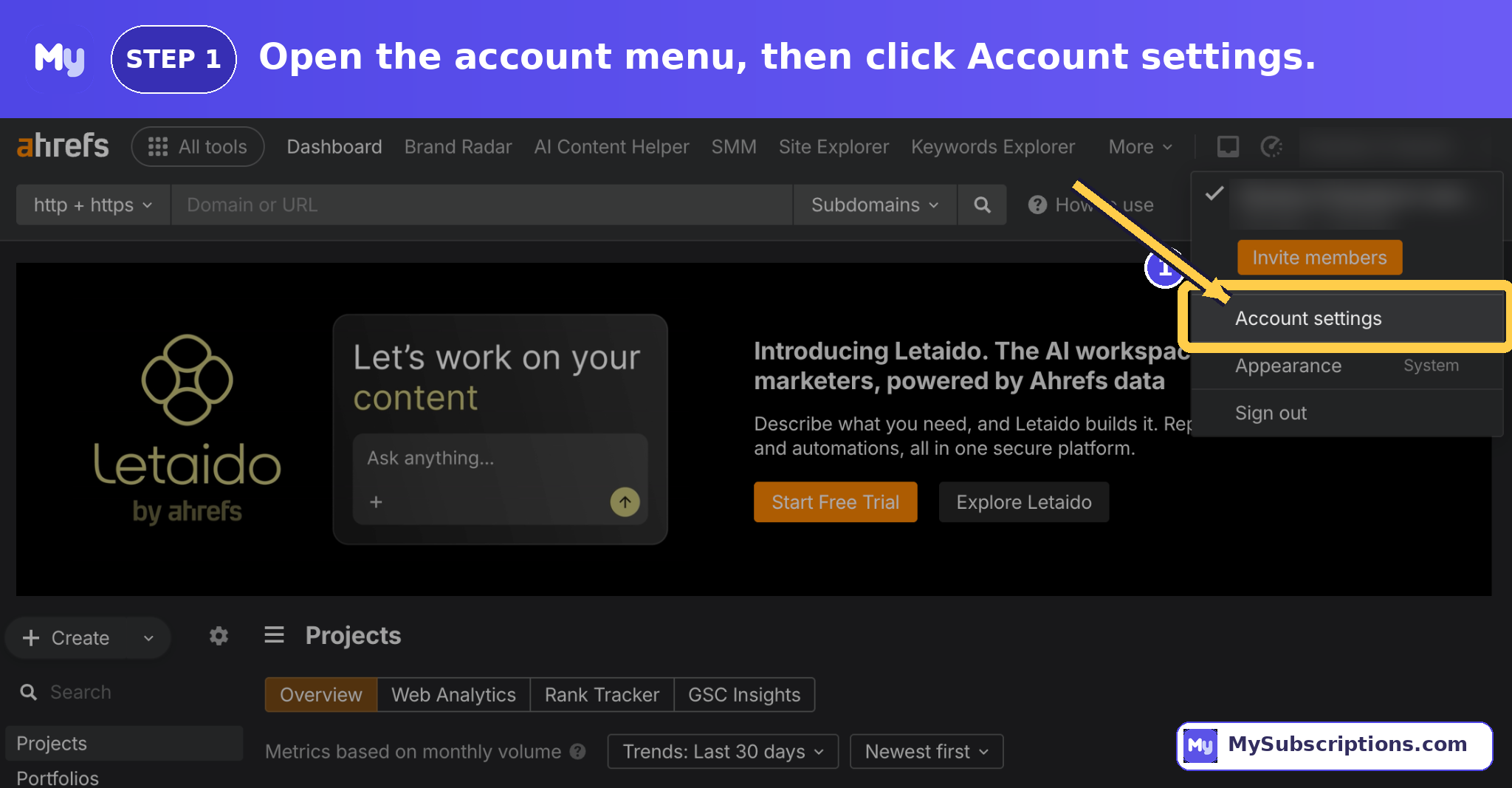
- Log in at ahrefs.com as the Workspace Owner and open your dashboard.
- Click your account name in the top-right corner and choose Account settings.
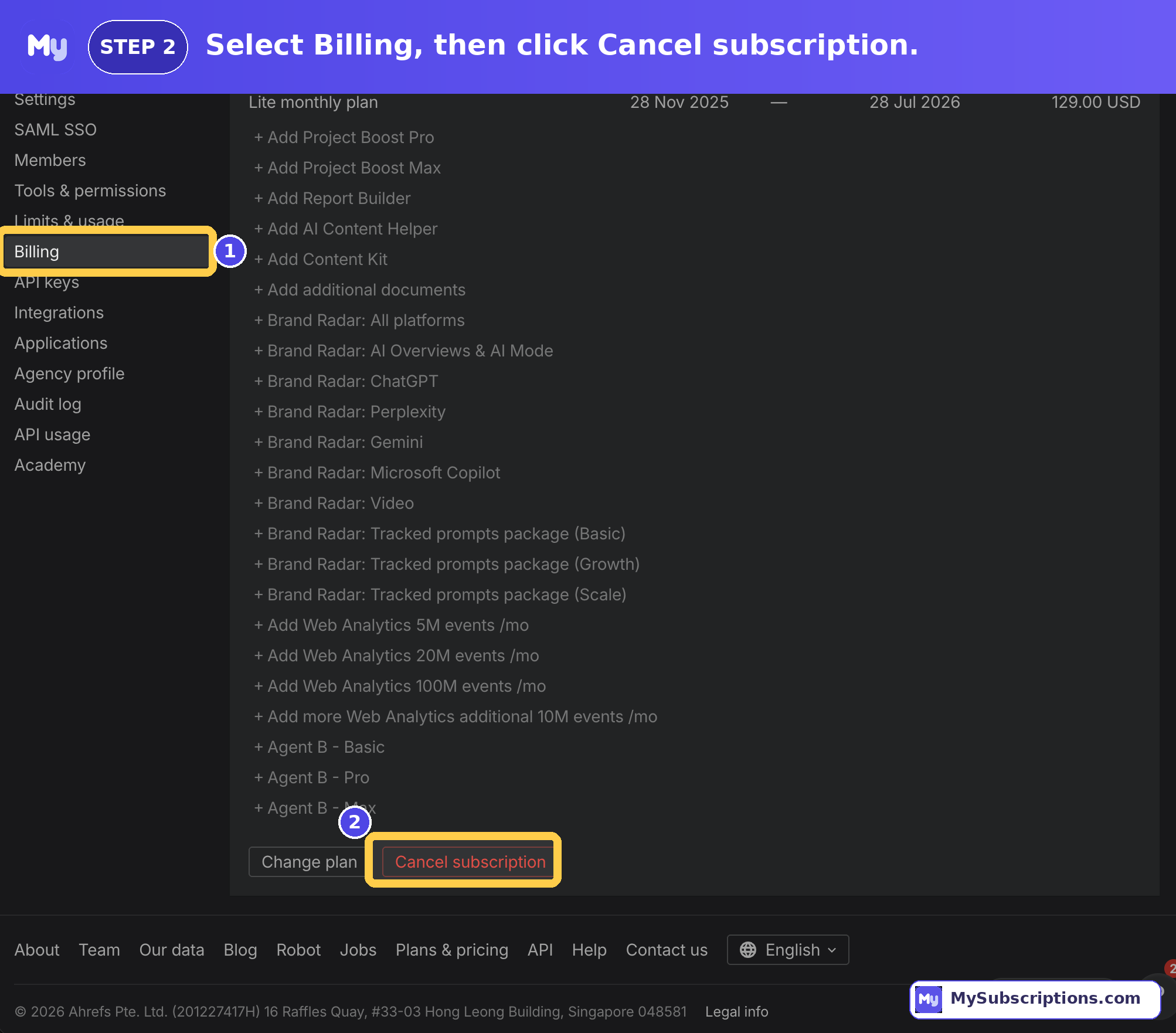
- In the left sidebar, under the Workspace section, click Billing.
- Open the Subscriptions tab and click Cancel Subscription.
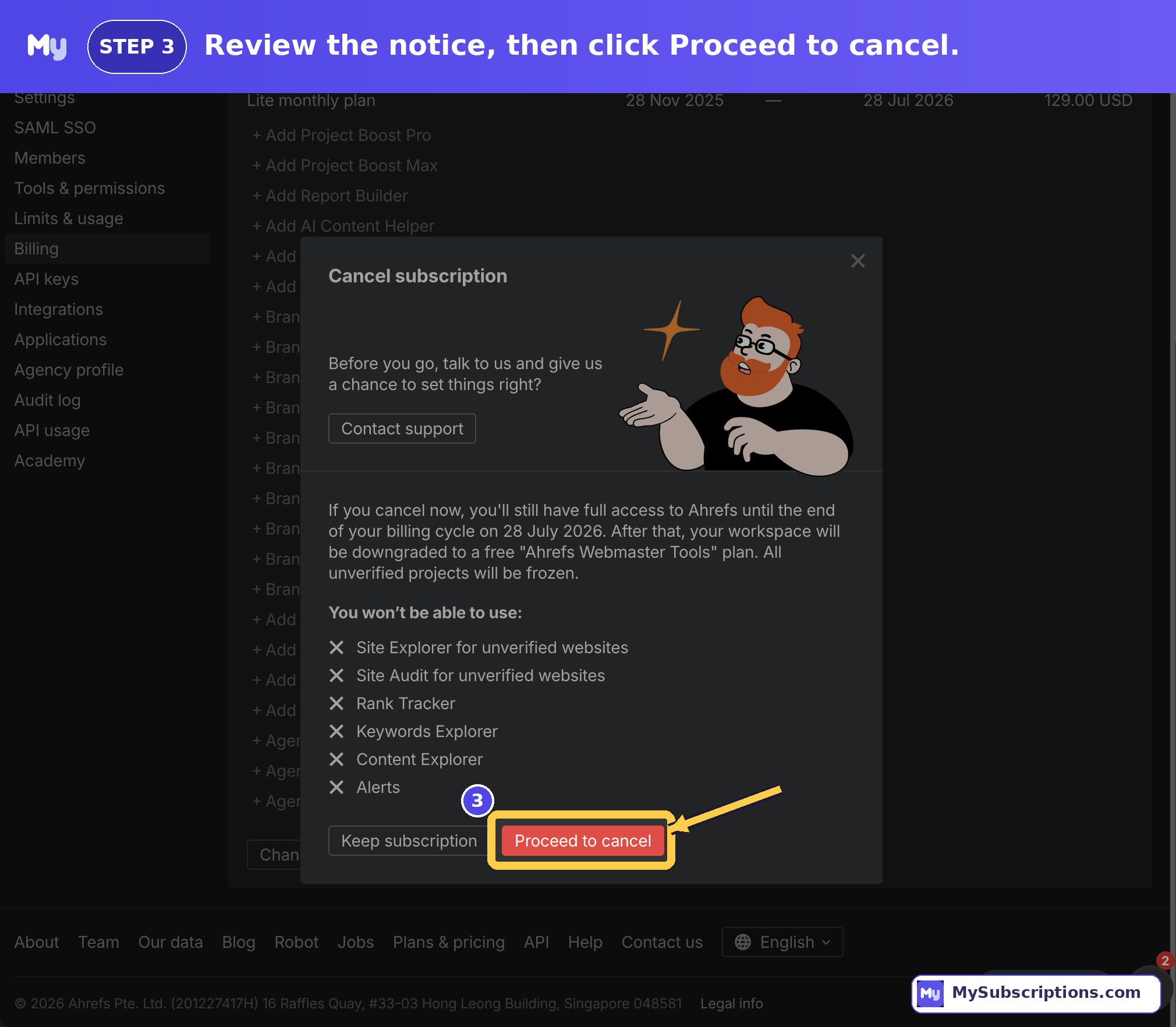
- In the cancellation pop-up, tick both checkboxes shown — the Cancel Subscription button stays greyed out until you do.
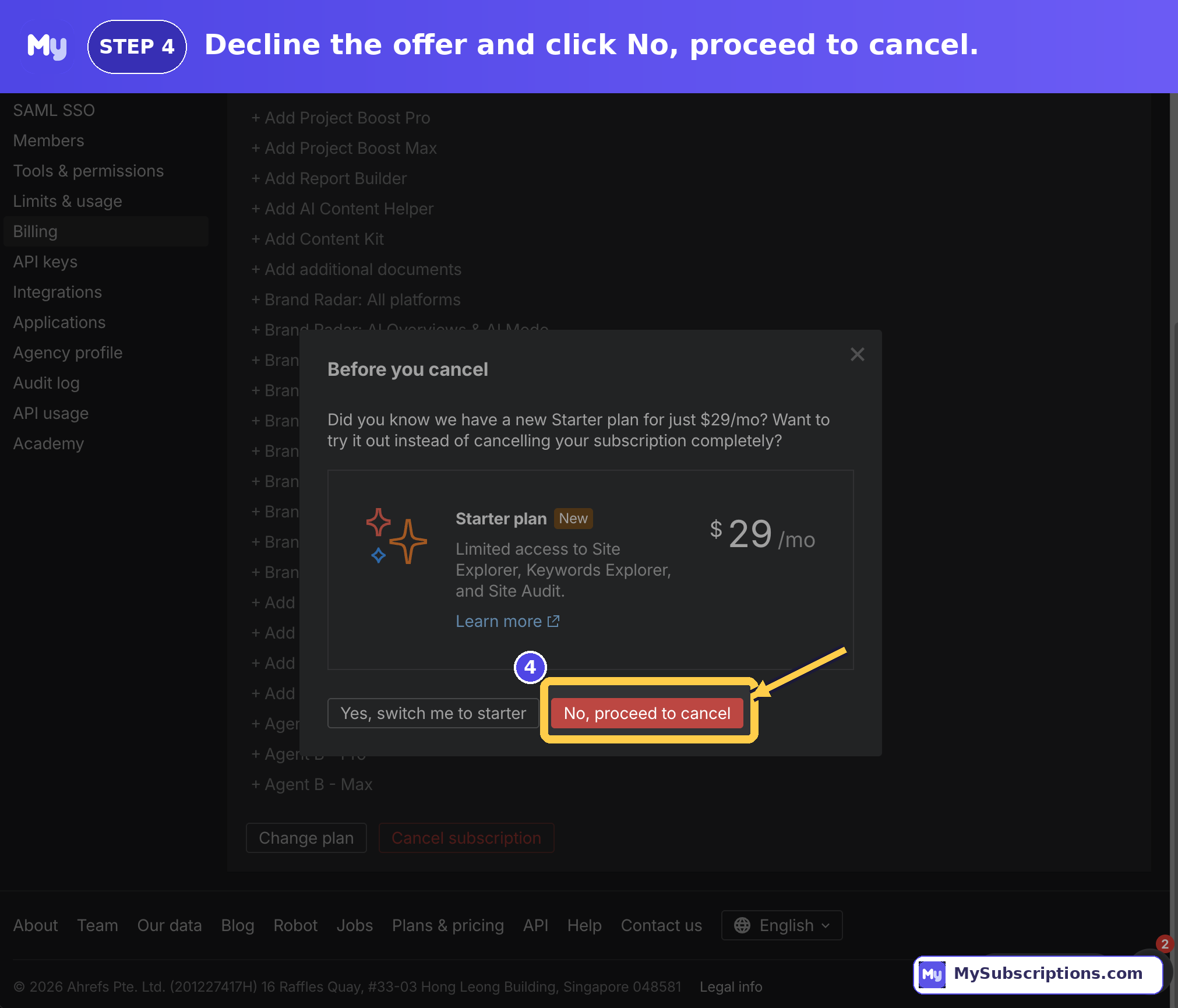
- Click Proceed to cancel to confirm.
You’re done. Ahrefs confirms that cancelling stops all future charges — no further billing happens unless you resubscribe.
If the cancel button won’t work
Cancellation can be blocked in a couple of situations. Here’s when to reach out to Ahrefs directly:
- You’re not the Workspace Owner — log in with the owner’s account and try again.
- You have an outstanding bill — unpaid invoices must be settled first.
- The button still won’t respond — email support from your account’s registered email address, or use the live chat icon in the bottom-right corner of the dashboard.
Deleting your account (optional)
Cancelling only ends the paid subscription; it does not delete your account. If you want the account fully removed, you have to ask.
- Email Ahrefs support from your registered email, or use live chat, and request account deletion.
- Wait for a confirmation email that the account has been deleted; follow up if it doesn’t arrive.
Note that accounts with unpaid bills can’t be deleted until those are settled.
What happens after you cancel
You keep full access to all paid features until the end of your current billing cycle — specifically, the day before your next billing date. After that, your account automatically downgrades to the free Ahrefs Webmaster Tools (AWT) tier rather than closing, and your projects and history stay saved.
On refunds, Ahrefs is strict — as stated on its pricing page:
- Ahrefs does not issue refunds in general.
- For monthly plans, you can request a refund only if you haven’t used the service — and Ahrefs may decline if it sees any material activity in your account.
- Refund requests must be made within 48 hours of payment.
- Annual plans are not refundable unless legally required.