Canceling iLovePDF Premium takes just a few minutes, but where you do it depends on how you signed up. First, check which biller you used: if you subscribed on iLovePDF’s website you’ll cancel in your account dashboard, but if you subscribed through an app store you must cancel there instead. Cancel at least 7 days before your renewal date — iLovePDF’s terms state your plan auto-renews unless you cancel at least seven calendar days before it expires.
Cancel on the iLovePDF website (Stripe / card billing)
Use this if you subscribed directly at ilovepdf.com and pay by card via Stripe.
- Go to ilovepdf.com and log in to your account.
- Open your user profile dashboard, where you can view subscription status and manage your subscription.
- Select the option to cancel (unsubscribe from) your subscription and confirm.
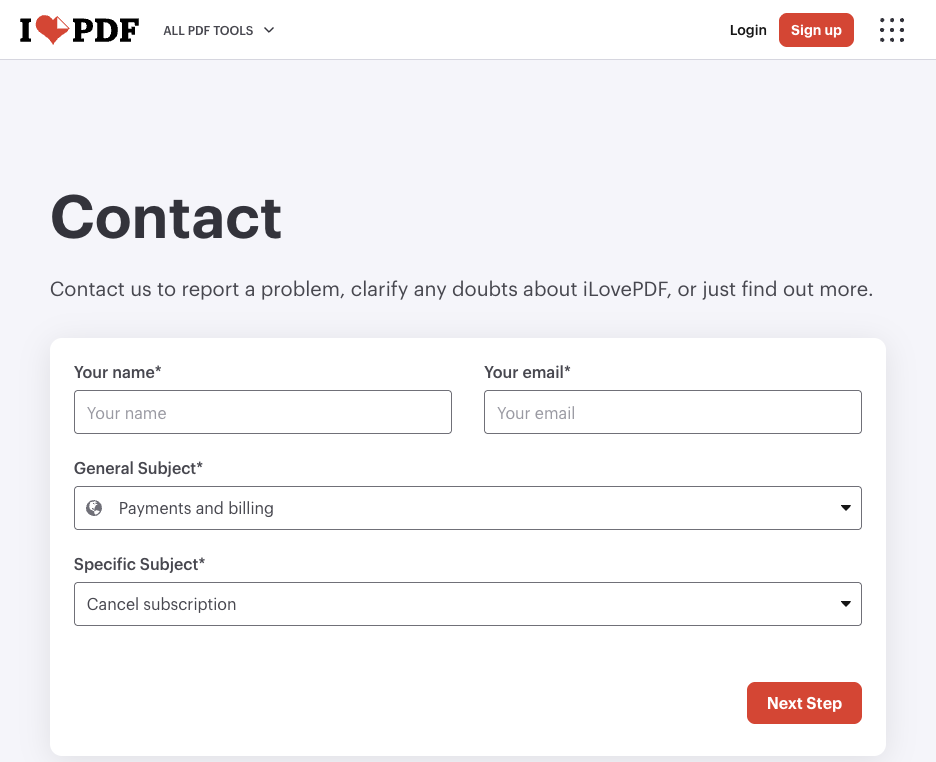
If you can’t find the option, iLovePDF also lets you request cancellation in writing through their contact form.
Cancel on the Apple App Store (iOS)
If you subscribed inside the iLovePDF iOS app, Apple manages your billing — iLovePDF cannot manage payments or billing for app store subscriptions, so you must cancel through Apple.
- Open Settings on your iPhone or iPad and tap your name at the top.
- Tap Subscriptions.
- Tap iLovePDF, then Cancel Subscription and confirm.
[SCREENSHOT: the Subscriptions screen with iLovePDF and the Cancel Subscription button]
Cancel on Google Play (Android)
Use this if you subscribed through the iLovePDF Android app. As with Apple, Google handles the billing.
- Open the Google Play Store app and tap your profile icon.
- Tap Payments & subscriptions, then Subscriptions.
- Select iLovePDF, tap Cancel subscription, and confirm.
Subscribed through Huawei AppGallery or Microsoft Store?
iLovePDF also bills through these platforms, and the same rule applies: cancel within that store’s account or subscription settings, since iLovePDF can’t manage those billing periods for you.
What happens after you cancel
Canceling stops the auto-renewal — it does not cut off your access immediately. iLovePDF confirms you keep Premium benefits until your paid period ends, so use them until then.
On refunds, the default is that you don’t get one. Canceling early does not entitle you to a refund for the remaining subscription time. The narrow exceptions:
- Money-back guarantee: if the service repeatedly malfunctions due to a fault attributable to iLovePDF, you can request a refund within 15 calendar days of payment via the contact form.
- Right of withdrawal: consumers may withdraw within 14 calendar days of subscribing — but this expires as soon as you start using the paid service.
- App store purchases: refunds are handled by Apple, Google, Huawei, or Microsoft under their own policies, not by iLovePDF.
Canceling doesn’t delete your account — you stay a free registered user and can resubscribe later with the same login.