Cancel from your Semrush account (website)
This is how nearly everyone is billed, and it’s the fastest route.
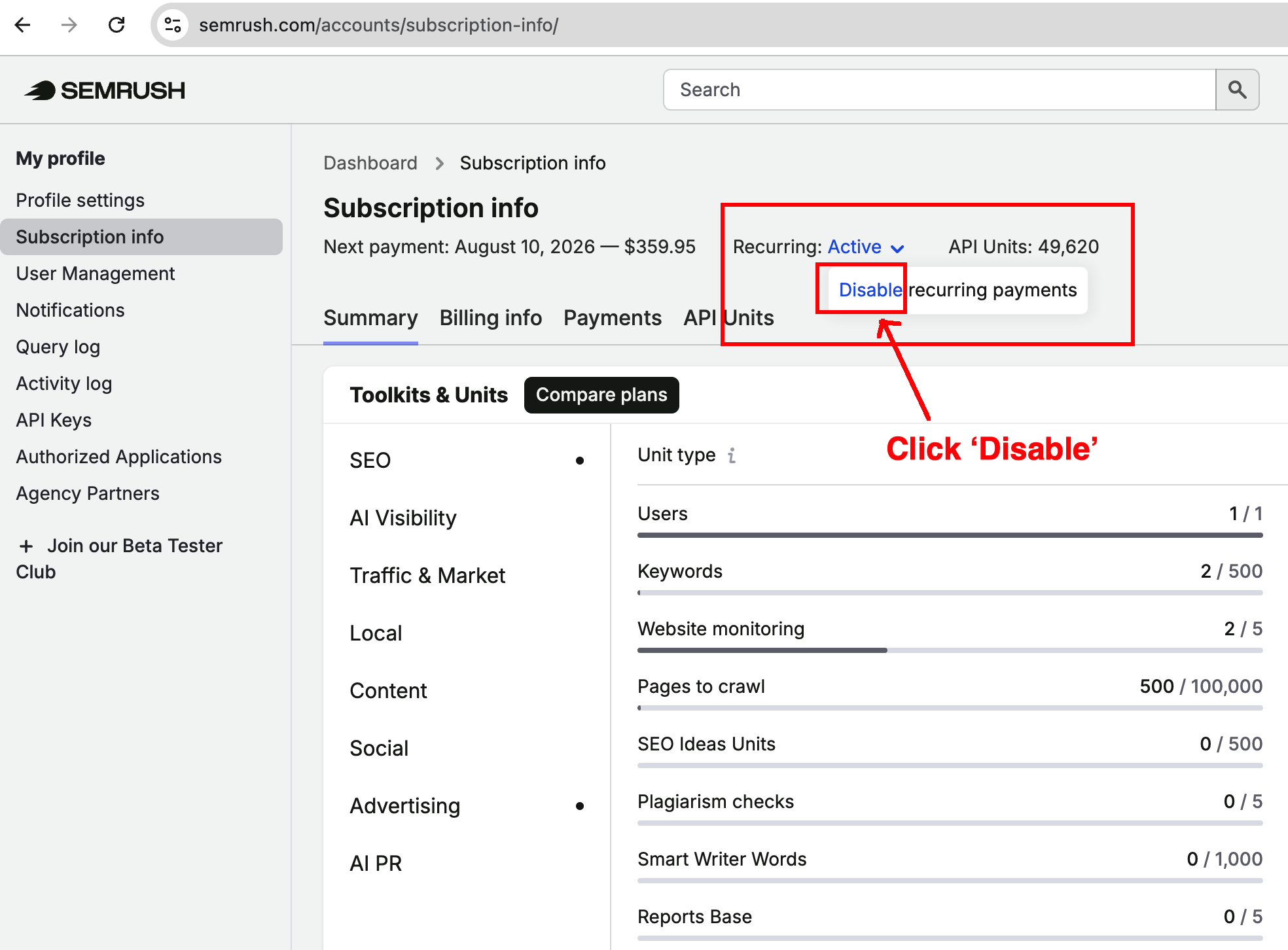
- Log in to your Semrush account and click your profile icon in the top-right corner, then select Subscription info.
- Under Recurring, click the Active link, then follow the Contact us link to reach the cancellation form.
- Work through the short exit questions. Select a cancellation reason, click Continue, answer the follow-up prompts, then confirm.
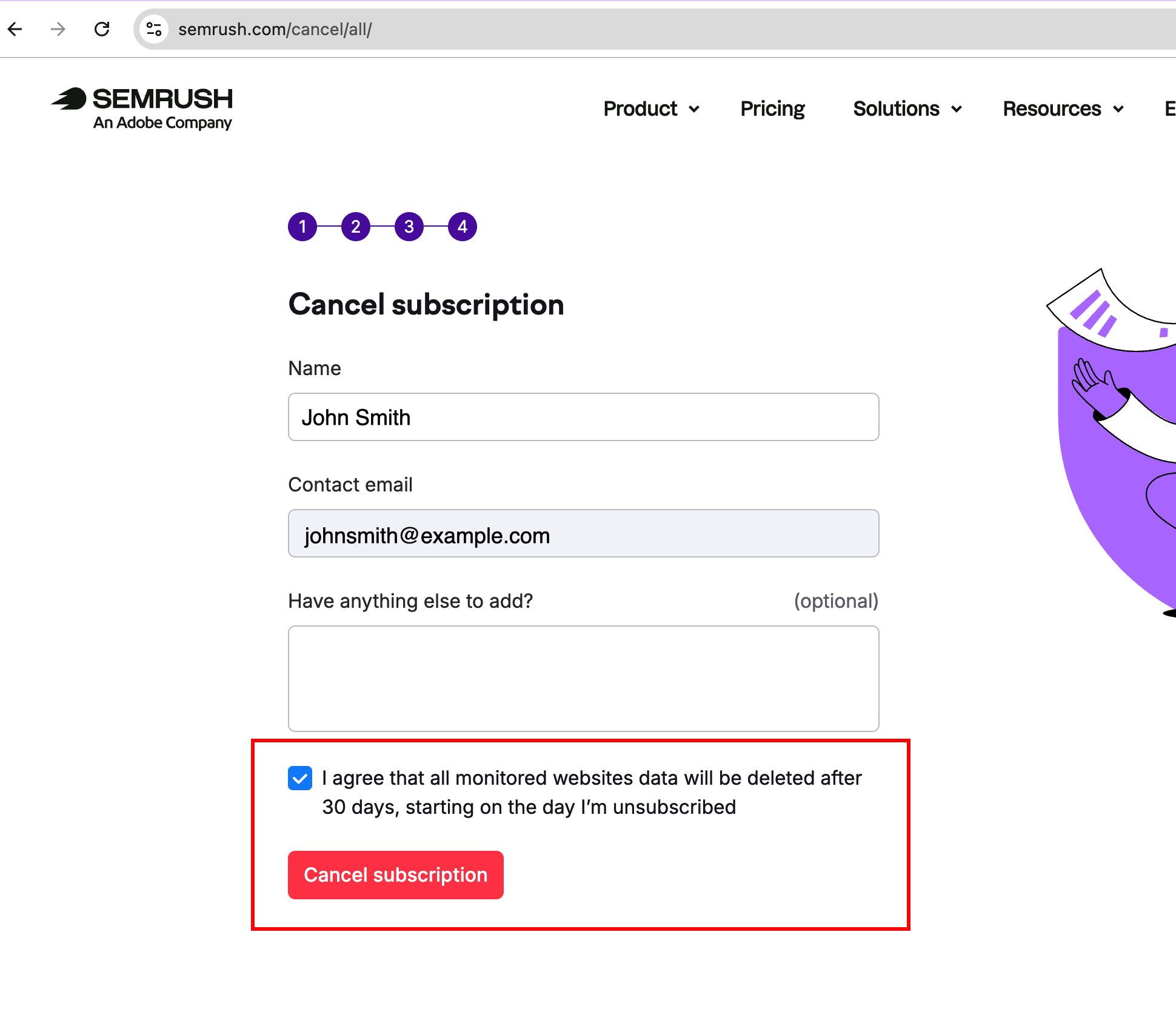
- Tick the confirmation checkbox and click Unsubscribe to submit your request.
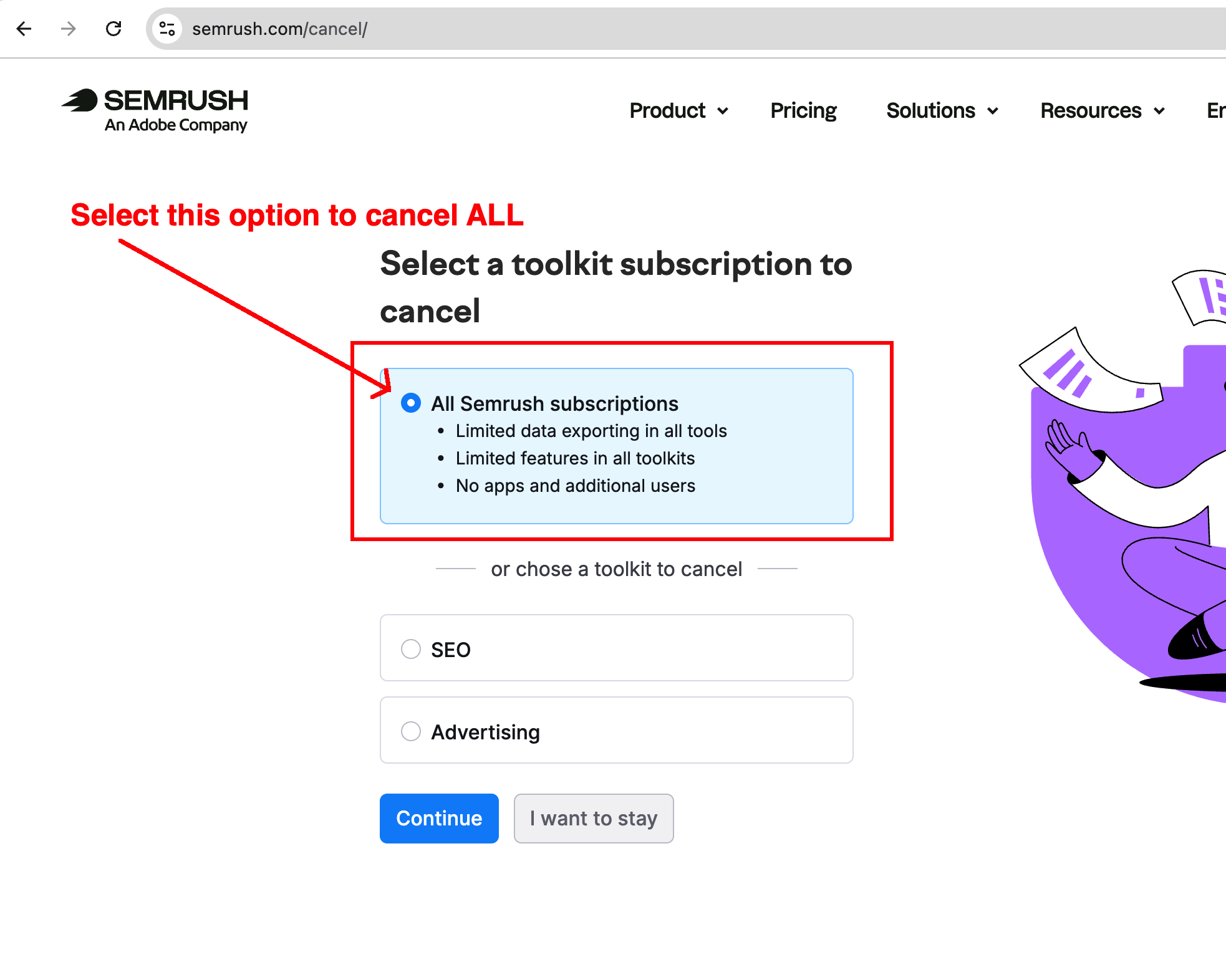
You can also go straight to the cancellation form. Semrush’s policy confirms you can cancel your subscription at any time by logging in and submitting a request through this form.
Important: After you submit, Semrush notes you’ll get a confirmation email with a link that is only valid for 24 hours — you must click it to finalize the request, or no case is created.
Cancel by contacting Support
Use this if you can’t log in. Semrush asks you to email from the address on your account and include:
- The email address tied to your paid or free-trial account.
- The last four digits of your card and the card type (never the full number).
- The amount and date of your last payment.
These details let Support identify your account and process the change quickly.
If you started on a free trial
Semrush warns that if you begin with a free trial, your first payment is charged automatically at the end of the trial unless you cancel beforehand. Cancel a day or two early to be safe.
How to get a refund
Refunds are separate from cancellation, and the rules are strict. Semrush offers a one-time, 7-day money-back guarantee that applies only when:
- It’s an initial subscription purchase with a committed term of 12 months or more, or an initial add-on purchase.
- You bought directly from Semrush.com using a credit card.
- You submit a written refund request within 7 calendar days of the initial order.
Refunds are not available for month-to-month subscriptions. To claim one, state your refund request explicitly in the comment field of the cancellation form, or use the contact form with your account details.
What happens after you cancel
Semrush confirms your cancellation within 3 business days, and it takes effect at the end of your committed subscription term — so you keep access until then rather than losing it immediately.
If your refund request qualifies, Semrush processes the prepaid fees within 30 calendar days via your original payment method; any bank or currency-conversion fees are yours to cover. If you canceled but were still billed, tell Support the timing of both events and they’ll refund per policy.